2026 Macbook Buyer’s Guide
-
What should I consider when buying a laptop for photography?
Focus on size (portability), processor power, RAM, and storage. These specs directly influence your editing speed and workflow efficiency.Is a MacBook Air good enough for professional photography?
Yes, if configured appropriately with sufficient RAM and storage. For most editing tasks, the MacBook Air provides excellent performance and portability.How much RAM do I really need?
At least 24GB for smooth operation in Lightroom and Photoshop; 32GB if you work with large catalogs, AI filters, or doing heavy multitasking.Should I upgrade to a MacBook Pro?
Consider a Pro if you need sustained high performance, longer export times, or are doing extensive video editing. The active cooling system makes a significant difference in intensive workflows.What’s the best storage size for photographers?
A minimum of 1TB internally for Ligthroom and it’s working files. RAW files will be stored externally long term.Recommended Laptops
For most photographers I’d recommend the Macbook Air or Pro with M5, 32GB, 1TB SSD.
A Practical Guide
Choosing the right laptop for your photography business has always been a crucial decision. There are countless options, specs, and configurations to consider. If you're unsure whether to go for a MacBook Air, MacBook Pro, or a different setup altogether, let me share what I've learned to help clarify what matters most.
Whether you're just starting out or upgrading your current gear, understanding how to match your laptop's specs to your workflow can save you time, money, and frustration. Here’s what you need to know to make an informed decision that aligns with your creative needs and budget.
Why Your Laptop Choice Matters for Photographers
Your Photography workflows involves large files, intensive editing, and sometimes video processing, all of these things are demanding on your computer. A mismatched setup can slow down your productivity or cause headaches during crucial projects.
It's essential to understand what specs truly impact your work, so you avoid overspending or under-delivering.
In this article, you’ll learn how to evaluate options, from size and processor to RAM and storage, so you get the right balance of power, portability, and price.
1. Pick the Right Size
For most photographers who travel or work remotely, a 13-inch or 14-inch laptop is often sufficient. The smaller size is easier to carry, fits conveniently into bags, and is less intimidating to transport. However, if you require a larger display for detailed editing, consider a 14-inch MacBook Pro, which balances portability with enhanced performance.

2. Processors and Chips
When configuring a MacBook, you'll encounter options like the M5, M5 Pro, and M5 Max chips, each designed for different workloads. For most photographers, even the base M5 chip provides ample power for editing in Lightroom and Photoshop.
The core difference lies in efficiency versus speed. The M5 chip focuses on battery life and general performance, while the M5 Pro and M5 Max offer enhanced graphics and faster processing, useful if you also do video editing or heavy multitasking.
[SCREENSHOT: Configuration options for M5 chips on Apple website]
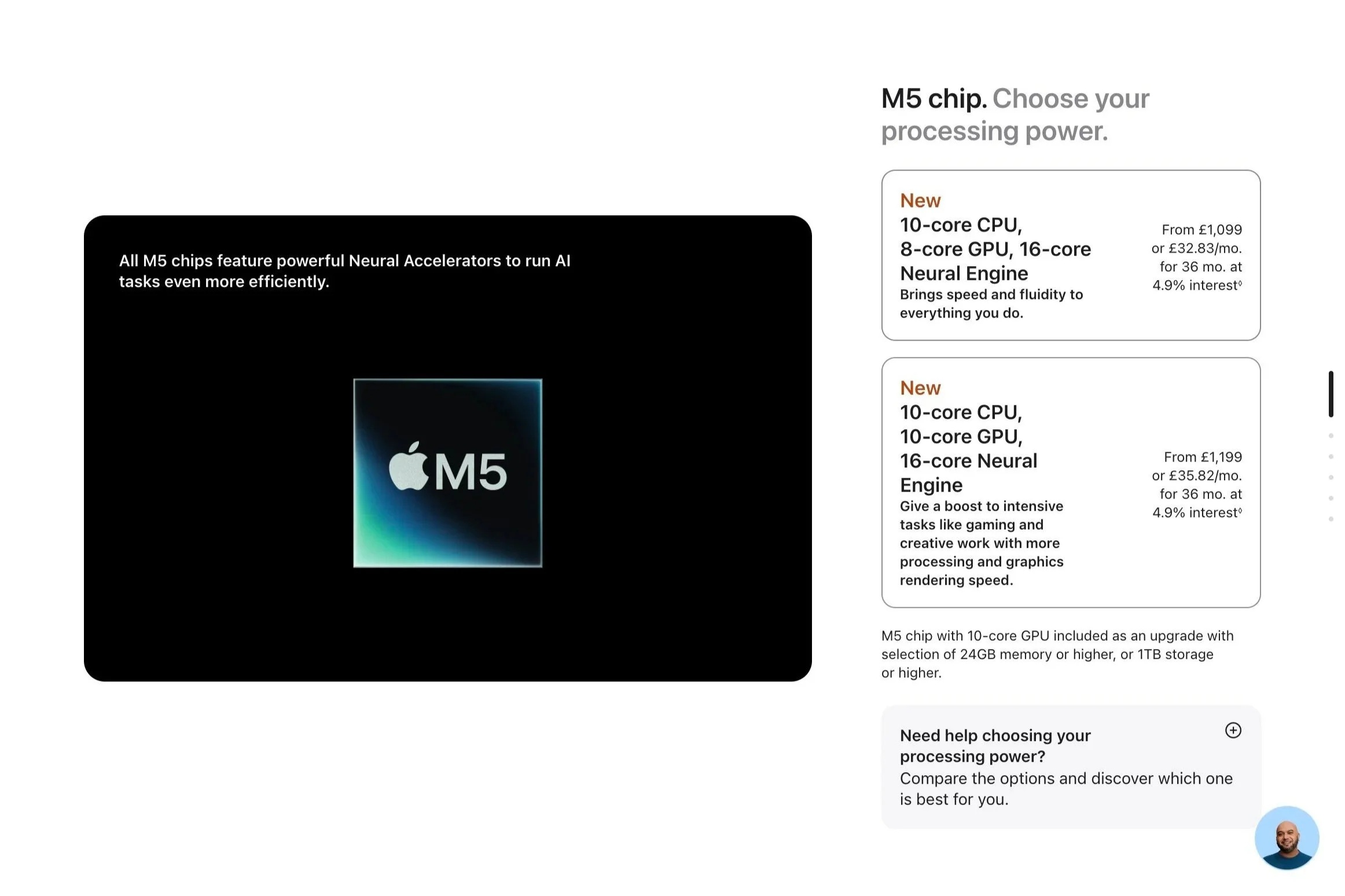
Avoid over-specifying; investing in a more powerful chip won’t necessarily future-proof your workflow if your tasks don’t demand it.
3. RAM: Memory Matters
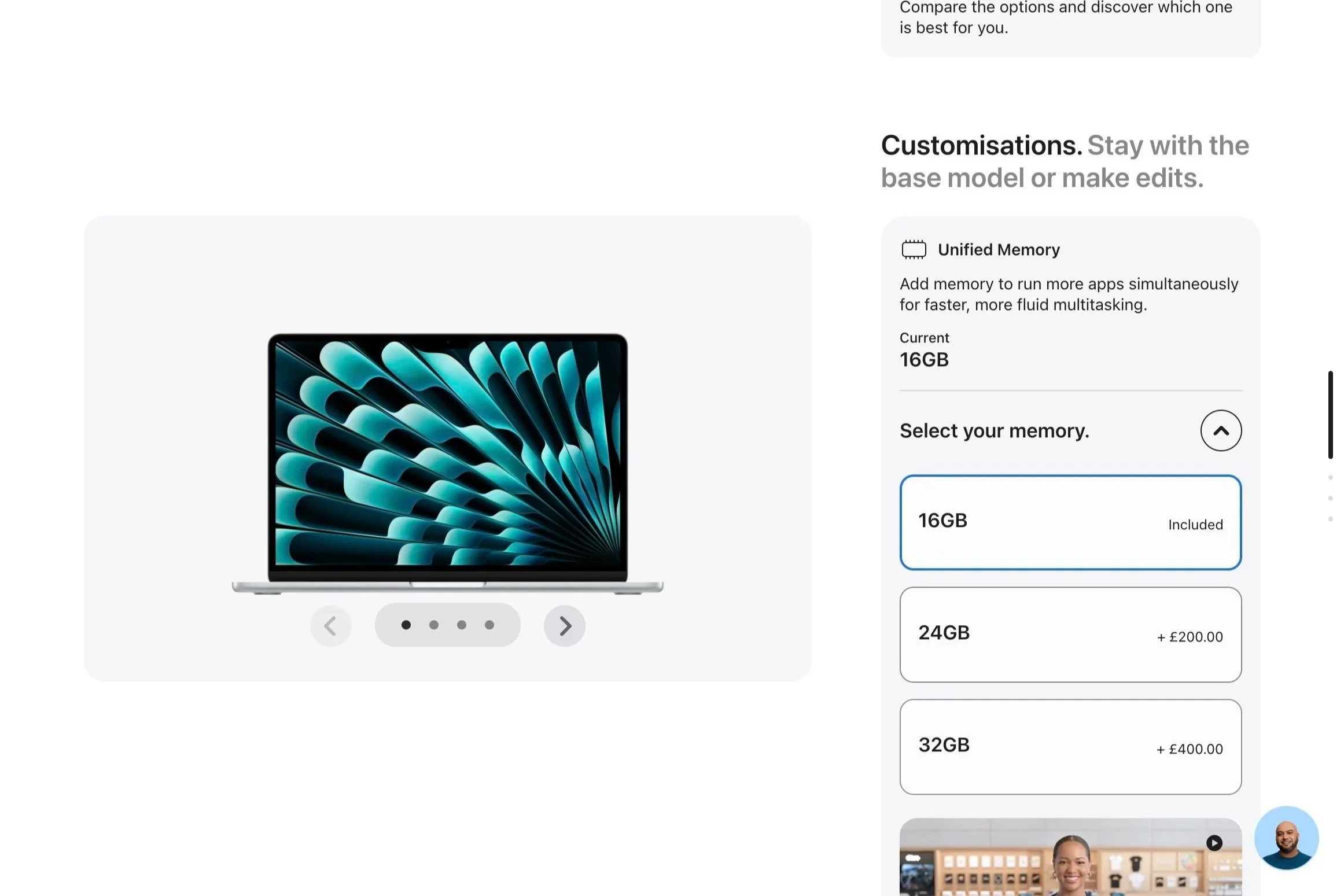
RAM is one of the most critical specs for a photography workstation. Unlike storage that can be upgraded using external drives, RAM is soldered into the motherboard and cannot be upgraded later.
For Lightroom and basic editing, 24GB of RAM hits a sweet spot in Price-to-Performance ratio. But if you regularly use Lightrooms AI features or plan to edit large batches of images in Photoshop 32GB provides smoother performance.
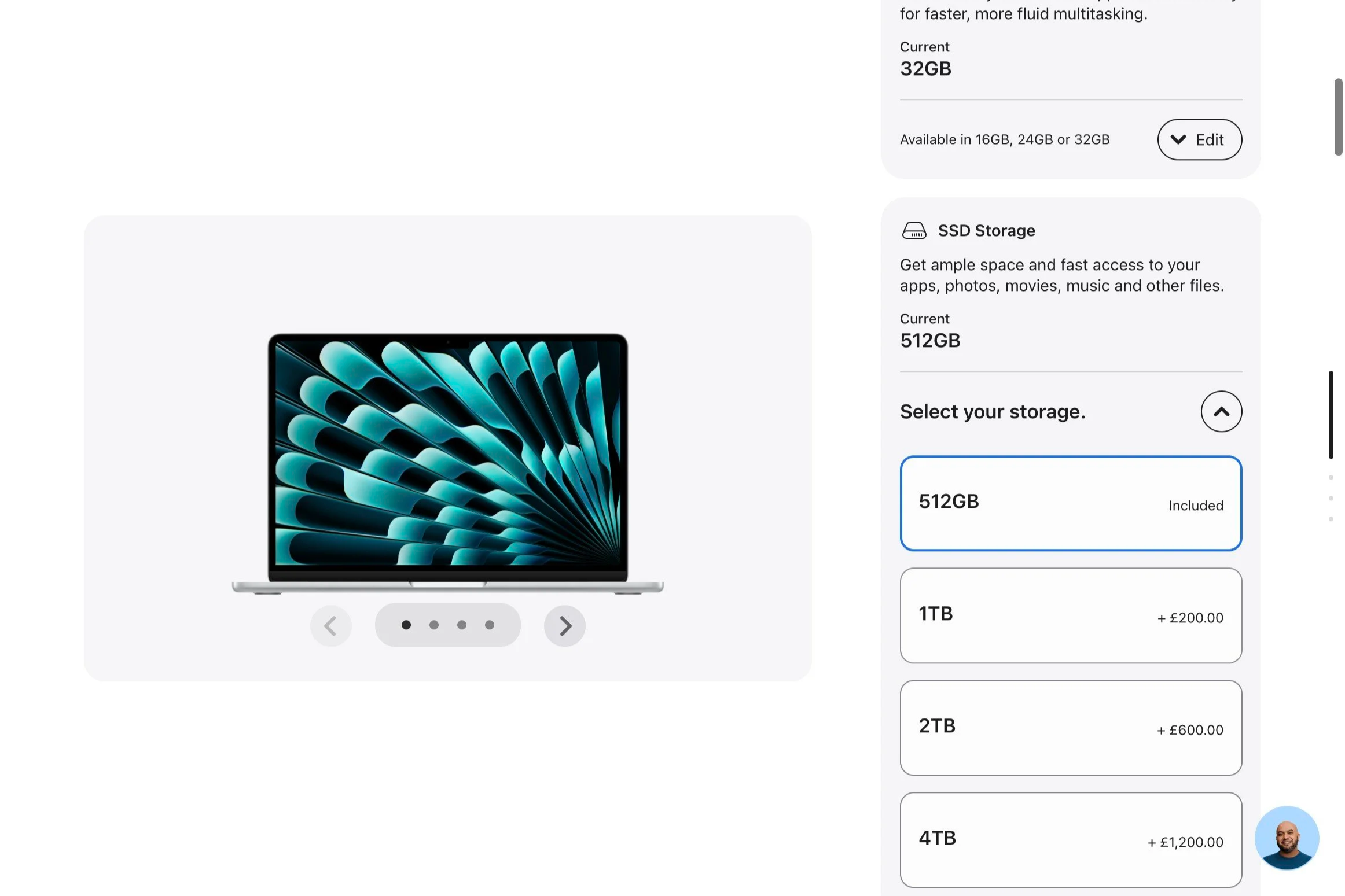
4. Storage: Keep You Moving
Storage affects how many files and how large a Lightroom catalog you can keep close at hand. I advise a minimum of 1TB for most photographers. Thats usually enough space for catalog files, a small selection of raw images at import, and more general use files.
External drives are going to be a must to supplement storage, but having ready access to crutial files on the internal drive can simplify your setup.
5. Cooling and Long-Workload Performance
The MacBook Air, while lightweight, has no internal fan, which can cause thermal throttling during prolonged intensive tasks like batch editing or exporting large image sets.The MacBook Pro addresses this with active cooling (fans), allowing sustained high performance without slowing down due to heat.
If your workflow involves long rendering or export sessions, investing in a MacBook Pro with active cooling can save time and frustration. Otherwise the Macbook Air is a solid choice!
Conclusion: Making the Smart Investment
For most photographers, a well-configured MacBook Air or a 14-inch MacBook Pro offers all the power needed to handle editing, cataloging, and even video work.
I recommend prioritizing RAM and storage, which directly impact workflow efficiency.
The most affordable, value-packed choice right now is the MacBook Air with the M5 chip, 24-32GB RAM, and 1TB storage—capable of handling everyday photography tasks with ease.
If you anticipate long, intensive sessions or future-proofing, a MacBook Pro with active cooling might be worth the extra investment.
Next step:
Evaluate your workflow needs against these specs, and invest in a configuration that balances performance and budget. A well-chosen laptop can be a game-changer for your creative productivity.
Happy shooting and editing!
-
I’m Tom Wright, I’m like a therapist for your photography business.
I call it therapy because it’s about helping you work out obstacles. I help professional photographers overcome creative block, learn new skills, build systems, experiment with new mediums and provide support on an ongoing basis.If your backup system keeps you awake at night. You can't get over the latest bout of creative burnout. Or, you need to make a change to your style, you need a photo therapist.
I’m not a doctor. but you’ll feel better!